- Published on
Home network security upgrade, part 5: agentic blueteaming with Security Onion
- Authors

- Name
- Peter Peerdeman
- @peterpeerdeman
This is part 5 of a series on the hashbang home network security upgrade:
- from a flat LAN to VLAN zones on OPNsense
- firewalling WireGuard access with admin and family roles
- blocking Modbus writes to a home battery with Suricata
- Security Onion on Proxmox with a switch mirror port
- agentic blueteaming with Security Onion (this post)
The Security Onion install on my home network with vanilla configuration creates a lot of alerts. After the first 24 hours there were 144 unacknowledged alerts, and the security onion user interface and detection rules can be quite cryptic. This final part of the series was to get the SOC to push important alerts to my phone, and making sure that what reaches me is actually worth looking at. This was my first experience with agentic blueteaming: the AI agent does most of the triage and assists me in learning, tuning and acknowledging what is going on in the network.
agentic blueteaming
It turns out that agents are very good at processing alerts and making sense of why certain rules are triggered. By providing the agent access to my knowledge base containing information on the network with details on the installation, and a browser logged into the SOC interface, the agent clicks through the alert groups, pivots into the Zeek logs for each of them to find out what the alert actually means. The prompt didn't have to be more elaborate than "have a look at the SOC alerts and guide me through the most important ones". After reporting on each important alert, it also immediately provides suggestions on how to suppress traffic if it is considered noise, further cutting down the volume that needs to be handled next time around.
After the briefing I answered in one line per item ("that was me fixing the switches, tune it", "keep that rule as is"), and only then did it apply the overrides, all through the same web interface. Afterwards it processes the tuning decision into my network notes, so the next round starts from what's documented instead of from memory.
alerts on my phone via Telegram
Security Onion's built-in notifications are a Pro feature, but it ships ElastAlert 2, which has a native alerter for Telegram. A custom rule file in a subfolder of /opt/so/rules/elastalert/rules/ configures this:
name: telegram-suricata-high
type: any
index: .ds-logs-*
filter:
  - query:
      query_string:
        query: 'event.dataset:suricata.alert AND event.severity_label:(high OR critical)'
query_key: [rule.uuid, source.ip]
realert:
  minutes: 60
alert: [telegram]
telegram_bot_token: '<token>'
telegram_room_id: '<chat id>'
telegram_parse_mode: html
alert_text_type: alert_text_only
alert_text: '<b>{0}</b>\n{1} → {2}:{3}\nseverity: {4}'
alert_text_args: [rule.name, source.ip, destination.ip, destination.port, event.severity_label]
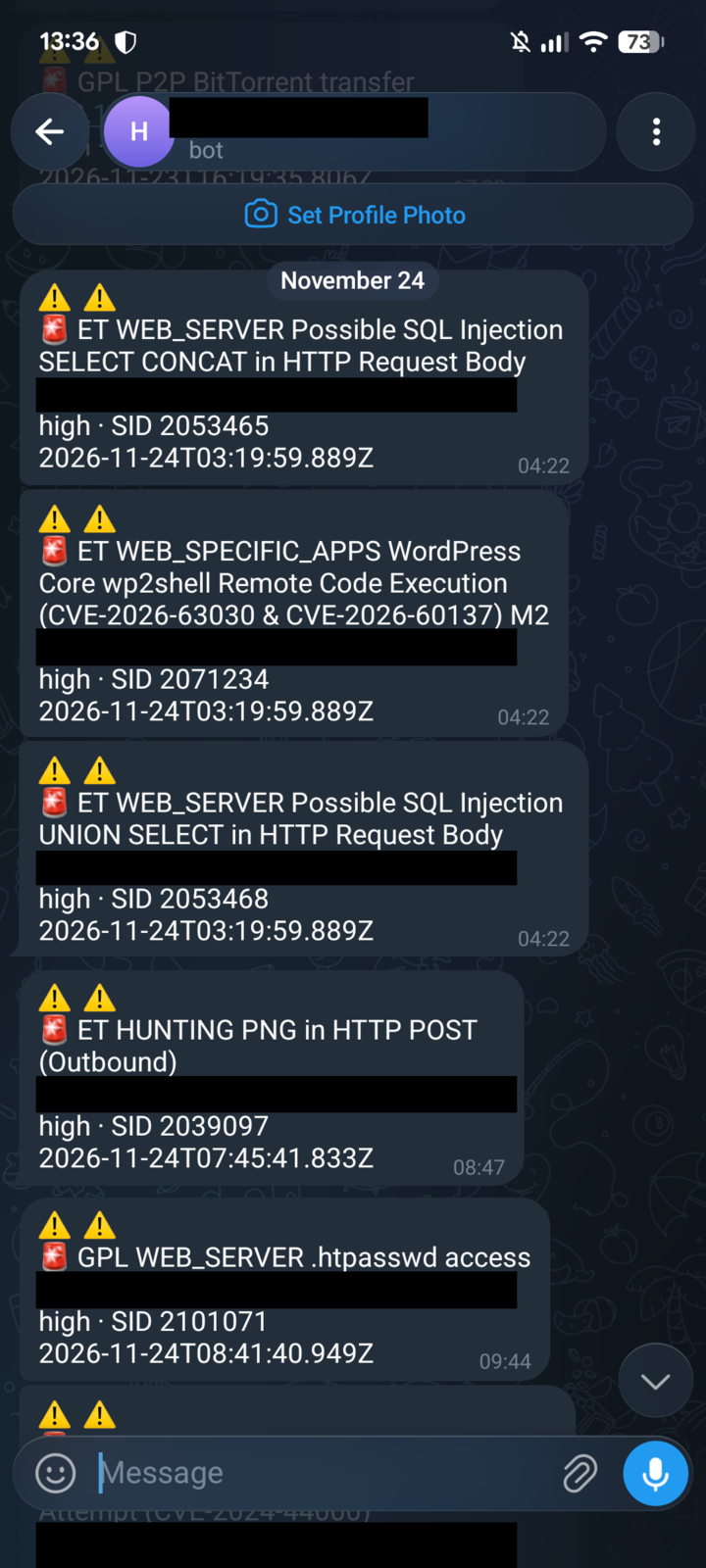
A privacy note: Telegram bot messages aren't end-to-end encrypted, so rule names and internal IPs pass through Telegram's servers. A self-hosted solution such as ntfy, a deltachat bot or a Home Assistant push notification would avoid that, at the cost of an extra firewall hole from the SECURITY VLAN.
With roughly 120 of the 144 daily alerts explained and tuned away, what's left in the SOC and on my phone is worth opening. That wraps up this series. The network went from one flat LAN to isolated VLAN zones, admin and family devices got their own WireGuard roles, the home battery got a read-only Modbus policy, and Security Onion now watches the wire, with agentic blueteaming keeping the noise down. Next on the list: endpoint telemetry with Elastic Agent, so the SOC also sees what happens on the devices themself.