- Published on
Building DeviceOS firmware for a Photon to make a MQTT Home Assistant compatible BME680 sensor
- Authors

- Name
- Peter Peerdeman
- @peterpeerdeman
As I was working on my home assistant setup, I wanted to install some sensors to get some temperature sensor data around the house. I remembered I still have a couple of Particle Photons lying around from the days I built a wireless outside weather station. This is some old hardware, based on the STM32F2 series combined with a BCM43362 for wifi connections.
Combined with an Adafruit BME680 sensor that gives you temperature, humidity, pressure and a gas resistance reading in one I2C device, that should work fine with Home Assistant. The challenge was to have it be completely local without depending on the particle cloud.
As ESPHome doesn't run on the STM32 platform, and programming the firmware in Rust would get stuck on the missing drivers for the BCM chip (something with loading a licensed proprietary blob image, amongst other challenges), Claude and I decided we'd stick with the original DeviceOS and push the sensor data to a local MQTT broker before consuming that in Home Assistant.
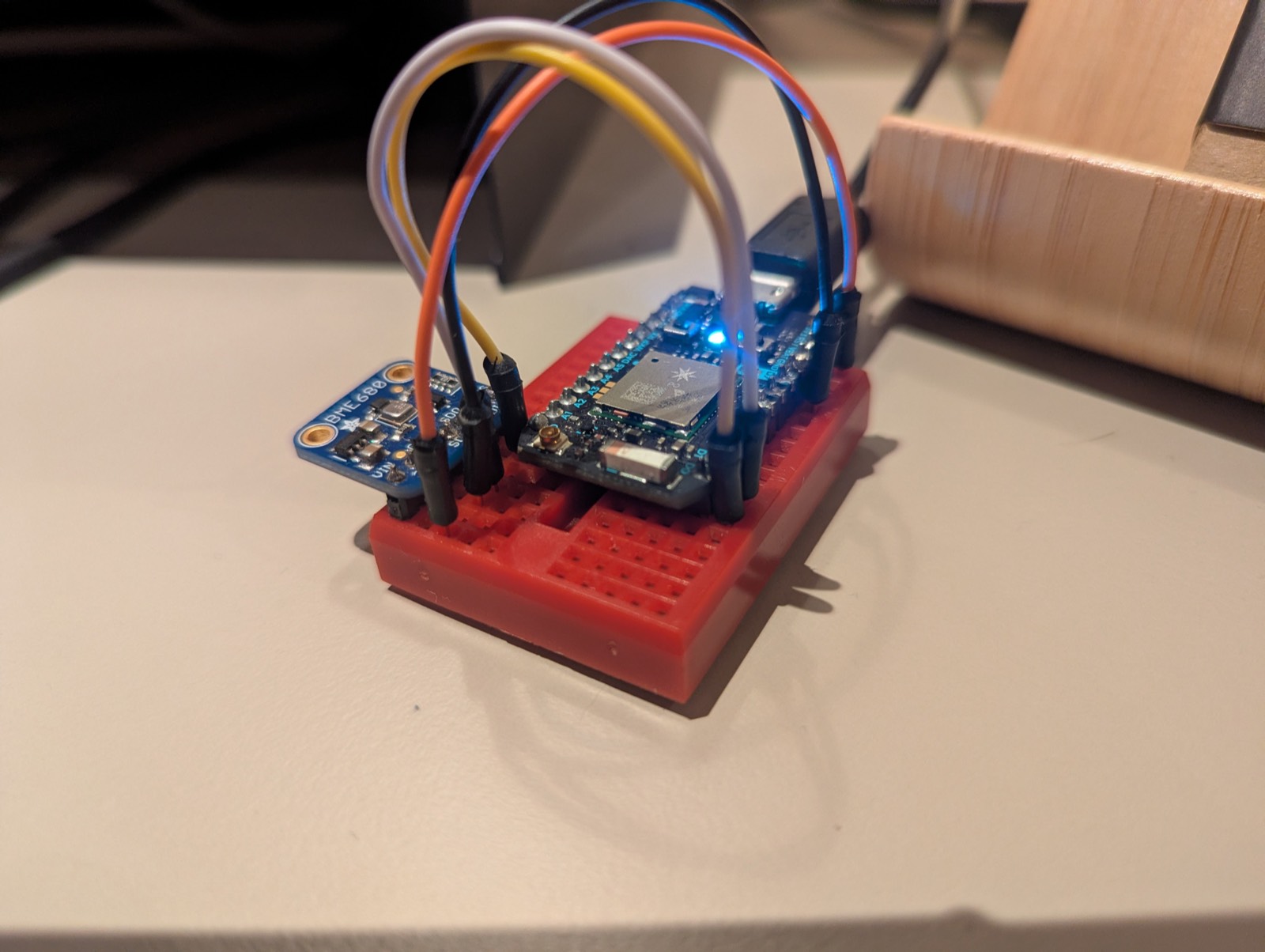
wiring
| BME680 | Photon |
|---|---|
| 3V3 | 3V3 |
| GND | GND |
| SDI | D0 (SDA) |
| SCK | D1 (SCL) |
The default I2C address for the BME680 is 0x77
building firmware without the web IDE
The Photon is no longer supported by the current Particle toolchain, but the docker buildpack images are still hosted on docker hub. Device OS 2.3.1 is the last LTS line that supports the old Gen 2 hardware, so 2.3.1-photon is the tag we used.
docker run --rm --platform linux/amd64 \
  -v "$PWD":/input \
  -v "$PWD/target":/output \
  -e PLATFORM_ID=6 \
  particle/buildpack-particle-firmware:2.3.1-photon
This builds the firmware to target/firmware.bin. The MQTT client and the official Bosch BME68x driver were vendored into lib/ so the buildpack picks them up without a library manager.
flashing an old photon
The firmware needs Device OS 2.3.x flashed to the device. You can update it once over USB, then flash locally over DFU. Put the device in DFU mode by holding SETUP, tapping RESET and releasing SETUP when the LED blinks yellow.
npm install -g particle-cli
particle update
particle flash --local target/firmware.bin
home assistant discovery
Rather than defining the sensors in configuration.yaml, the firmware publishes retained MQTT discovery configs on every connect, so home assistant can detect the sensors automatically
homeassistant/sensor/photon_bme680_<deviceid>/<sensor>/config
The state is sent as JSON to particle/photon_bme680_<deviceid>/state every 30 seconds, availability to .../status
debugging mosquitto
We used the following command on the mosquitto broker to see if messages were arriving
mosquitto_sub -h <broker> -v -t 'particle/#' -t 'homeassistant/#'
adding robustness
After witnessing a couple of times that the temperature sensor data wasn't submitted anymore, claude helped build some extra robustness into the readouts.
We first made the bus force a re-init if data wasn't read correctly:
if (!sensorRead(&data)) {
    Log.warn("BME680 read failed; resetting I2C");
    Wire.reset();   // Device OS I2C bus recovery
    bmeOk = false;  // force sensorInit() next loop
    return;
}
... and added ApplicationWatchdog that reboots the device if the loop stops checking in for 60 seconds.
void onWatchdogTimeout() {
    System.reset();
}

ApplicationWatchdog watchdog(WATCHDOG_TIMEOUT_MS, onWatchdogTimeout, 1536);

// ... and at the end of loop():
ApplicationWatchdog::checkin();
The sensor has been chugging along happily for weeks!
The resulting project can be found on peterpeerdeman/deviceos-bme680.