- Published on
Programming a micro:bit with kids: step counter, thermometer and compass
- Authors

- Name
- Peter Peerdeman
- @peterpeerdeman
The micro:bit is a fun, small board with an nRF52 microcontroller and a pile of peripherals already soldered on, including a 5x5 LED matrix, two buttons, a microphone, a speaker, an accelerometer and a magnetometer. Programming is done with MakeCode, a visual block editor. You drag blocks together in a browser (also works on ipad!), and flashing can be done through usb or even with bluetooth. There is excellent Rust support and Rust programming guides for microbit as well, but of course we started out with the visual editor.
We tried a number of example projects
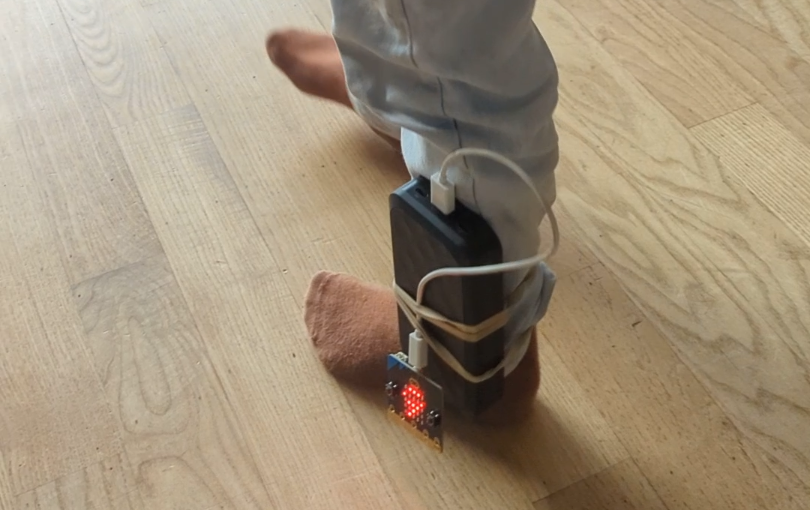
The step counter. The accelerometer has a shake gesture built in, so counting steps is a variable, an increment on a shake. The number is shown on the LED matrix. Then you strap the board to your ankle with a rubber band, walk around, and read what it counts.
A thermometer. One block reads the on-chip temperature and one block shows the value. We bound it to a button so you can control when the measurement is taken.
A radio. Thanks to the onboard rf radio and easy api for radio messages, it is really easy to set up radio communications, sending a signal to show a smiley face on the second micro:bit is a fun way of learning about wireless communication.